LocalSend is a tool for sending files and text between devices on the same wireless network.
As long as your phone (iOS or Android) and your computer (Mac, Windows or Linux) are on the same Wi-Fi, you can send each other photos, videos and all kinds of files without registering an account.
- It is open source and free.
- There are no ads at all.
- Large files transfer with no speed limit.
- It works without an internet connection.
- Files only travel inside the local network, which keeps your privacy safe.
How to use it
- Make sure both devices are on the same wireless network.
- Open the app on both devices.
- On the sending device, pick the photos or files you want to transfer.
- Tap the recipient's name in the device list that appears at the bottom of the screen.
- The receiving device taps accept and the transfer is done.
Official link:
https://github.com/localsend/localsend
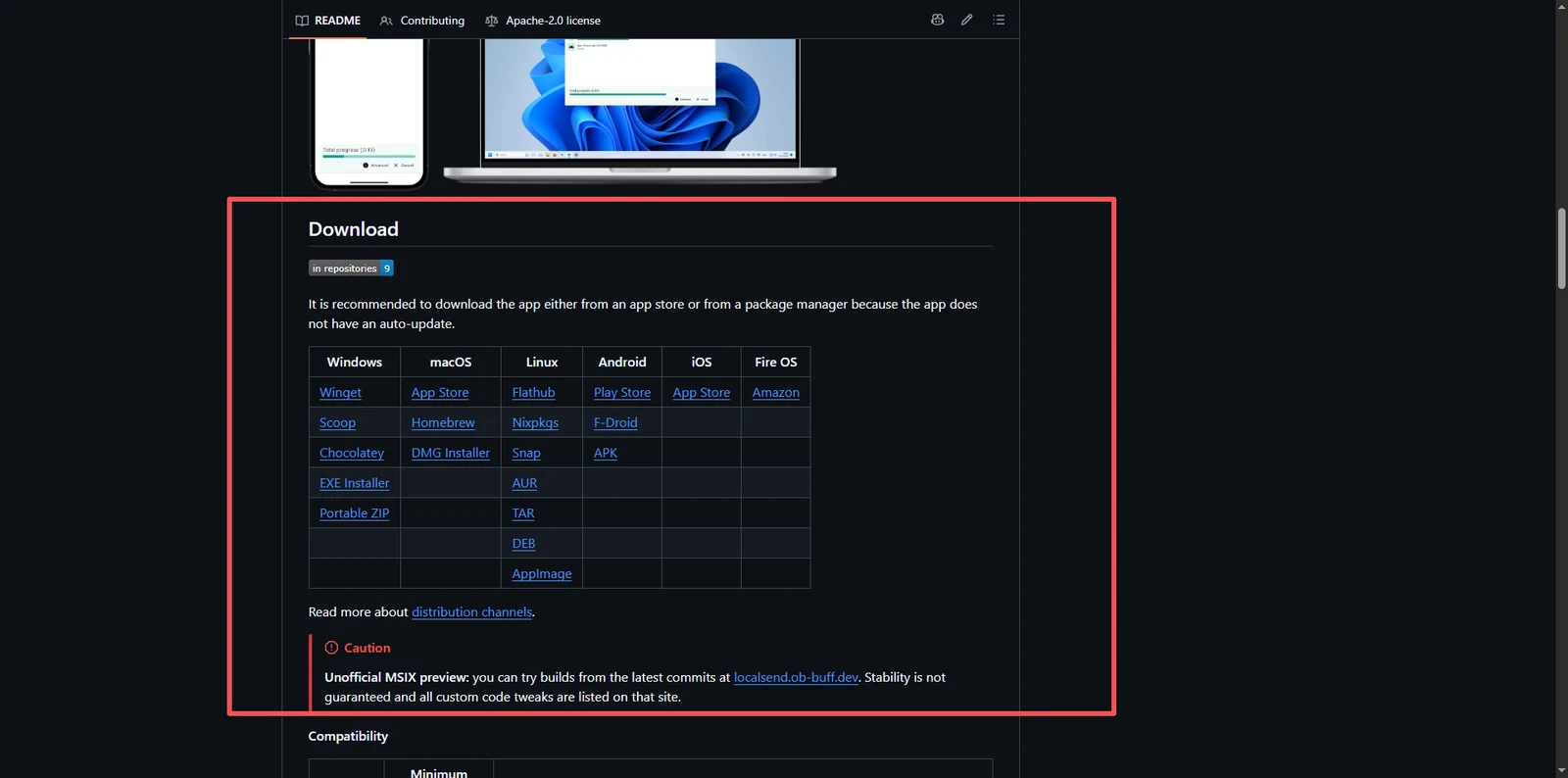
Scroll down to this spot and pick the installer for your platform
Out of 10, full marks — it is genuinely useful
It is written in Flutter, so I hardly need to explain the cross-platform part