Codex is pleasant to work in and painful to pay for, so I wired it up to DeepSeek with CC Switch. DeepSeek V4.1 Flash takes images now, which means Codex can look at a screenshot while it works. Here is the setup and the two traps I hit along the way.
Both traps cost time and both are easy to avoid: do not invent a reasoning level, and do not keep working inside an old conversation.
What CC Switch does
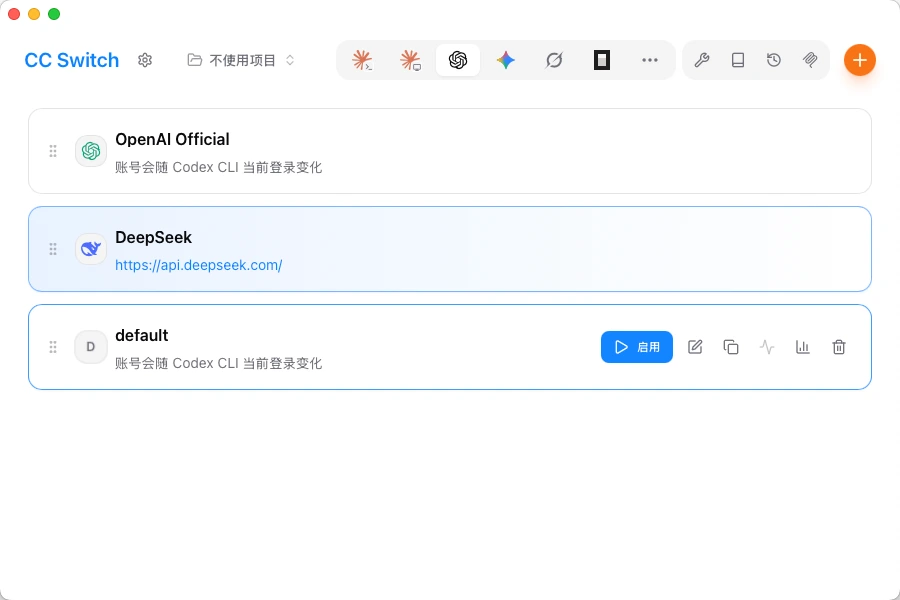
Which API Codex talks to is decided by the base URL, the key and the model name in its config file. CC Switch is a desktop tool for managing those settings. Every provider is a card, and clicking enable writes that provider's address and key into ~/.codex/config.toml. To go back to the official account, click the other card, with no hand-editing of files.
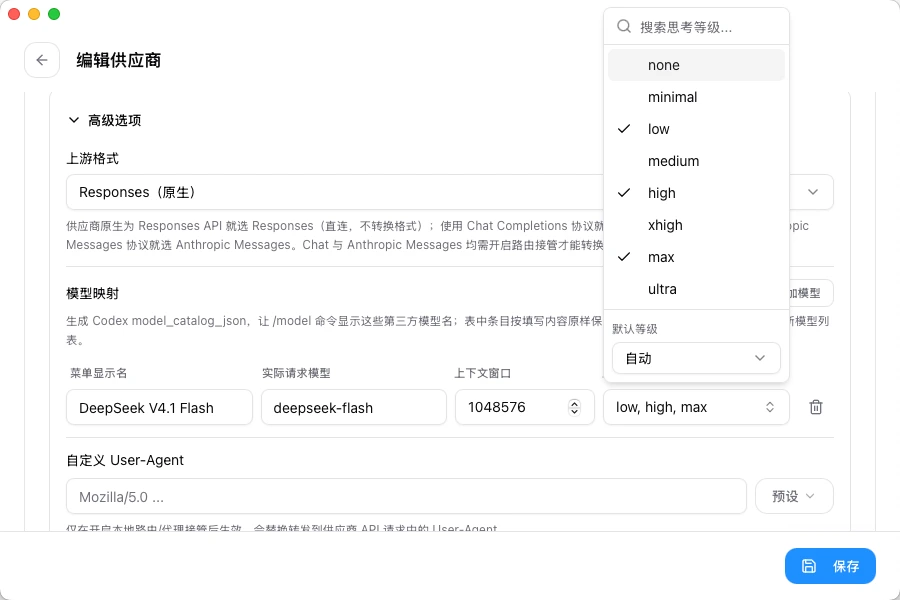
It also generates a model catalog that records what the model is called, how big its context window is and which reasoning levels it supports. The answer to the first trap lives in that file.
Codex can look at images now
DeepSeek's documentation says deepseek-flash accepts images next to text, in JPEG, PNG, GIF and WebP: describe a picture, read the text out of a screenshot, analyse a chart. In Codex you paste the screenshot into the conversation and let it chase the error, which beats retyping a stack trace. CC Switch points Codex at the native Responses format, and images travel as input_image parts.
The model name is deepseek-flash. The old deepseek-v4-flash-vision-exp is retired, so those requests land on the latest Flash model at Flash pricing. Codex displays it as DeepSeek V4.1 Flash, with a 1M context window and up to 384K of output.
The reasoning level has to be low, high or max
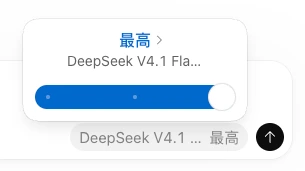
Codex lists eight levels: none, minimal, low, medium, high, xhigh, max and ultra. DeepSeek V4.1 Flash declares three of them: low, high and max. Configure one of those.
I ignored that at first and picked xhigh in Codex. Replies crawled, and ultra hung outright. DeepSeek's docs do publish a mapping, where minimal and low fall to low, medium and high fall to high, xhigh falls to high and ultra falls to max, but that is the API side. Codex goes by the levels a model declares, and a level that is missing from that list is asking for trouble.
The cost of getting it wrong is waiting, with nothing useful to debug, so stay on low, high or max.
Start a new conversation for DeepSeek
Do not keep using a conversation that already talked to a GPT model. Once you switch back to the original account, that mixed conversation errors out and will not open.
I did not dig into why, but the pattern is steady: as soon as one history mixes output from two models, Codex cannot read it back. So the rule is simple. A new conversation when you move to DeepSeek, and another new one when you move back.
How I use it now
Reading screenshots, chasing errors, small features and quick scripts go to DeepSeek, which is cheap and fast enough. Hard problems go back to the original model. Each side keeps its own conversations.
DeepSeek docs: Vision, Thinking Mode, Models & Pricing. CC Switch is on GitHub and at ccswitch.io.